Everything between your systems
From the first webhook to the last approval - the complete Integration Fabric feature catalog.
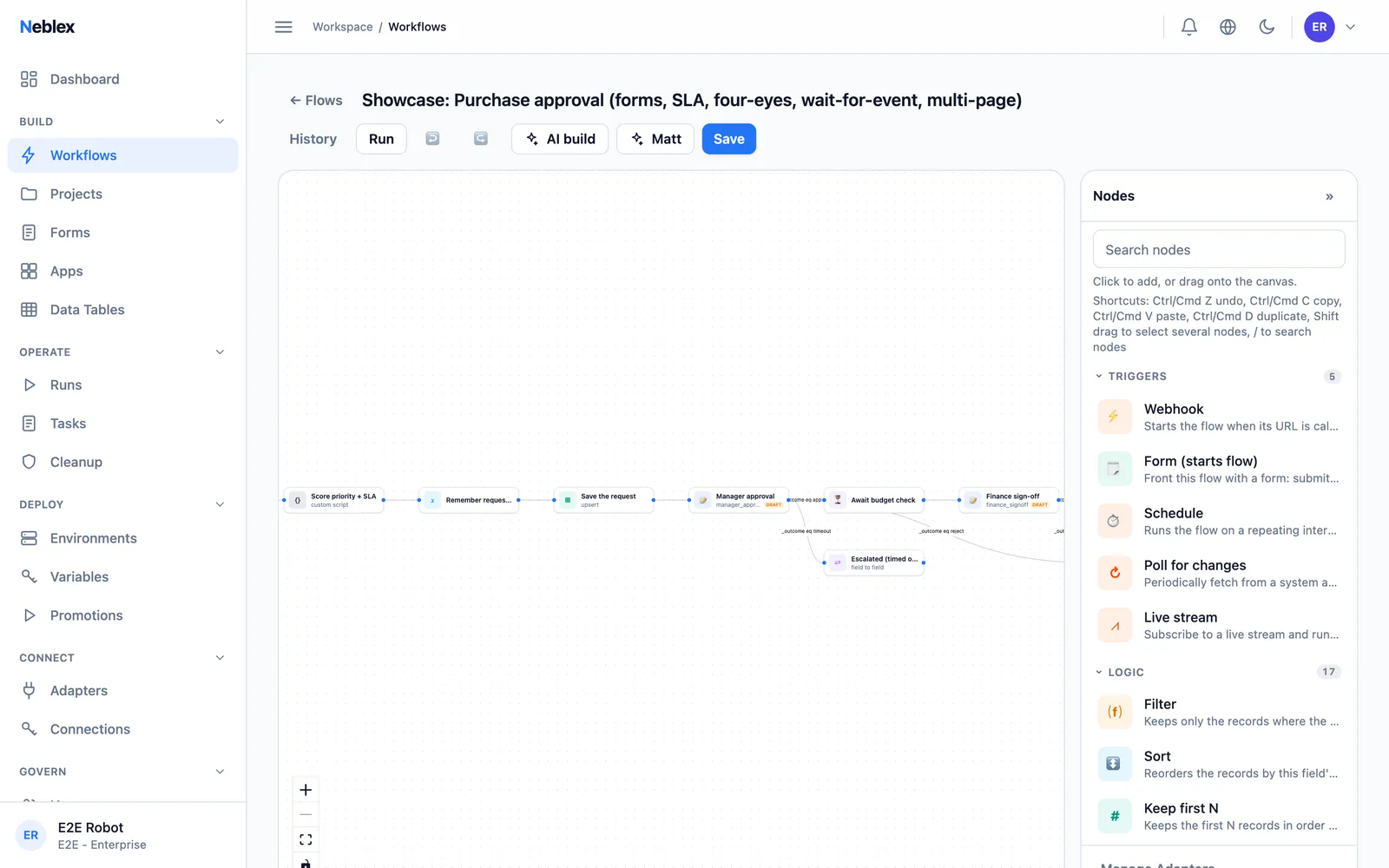
Visual Flow Builder & Triggers
Build flows on a visual canvas: nodes wired left to right, click to configure, versioned saves. Start them however your work starts.
- 01
Every Trigger Type
Manual, schedule, webhook, event polling, streaming, and form-initiated. Webhooks auto-register with GitHub, Stripe, and Shopify.
- 02
Per-Step Error Control
Stop, continue, or route to a recovery branch on failure - try-catch semantics per step, not per flow.
- 03
Sub-Flows & Durable Waits
Call flows from flows like subroutines. Wait steps park durably for minutes or months without holding resources.
- 04
Built for Real Editing
Undo up to 100 steps, copy/paste, duplicate, multi-select, and search the step palette as you type.
Change Detection & Data Integrity
Integrations fail quietly: a renamed column, a missed delete, a half-finished batch. Integration Fabric turns each of those into a handled, visible event.
- 01
Change Detection, Including Deletes
Poll for changes with a change-detection key and every record arrives tagged insert, update, or delete. A stable key means no duplicate processing.
- 02
Schema Drift Detection
Polling triggers watch the column shape and flag new or missing columns for review instead of writing empty values for weeks.
- 03
Chunked, Resumable Batches
Process in chunks with durable per-chunk saves and idempotency keys. A failure resumes from the first unfinished chunk.
- 04
Data Quality Assertions
Assert shape, ranges, and required fields mid-flow and fail loudly before bad data reaches a downstream system.
The Step Library
Forty-plus built-in steps so the common ninety percent of integration work never needs custom code - and a sandboxed code step for the rest.
- 01
Data Shaping
Transform, map, filter, sort, deduplicate, unwind, batch, combine, aggregate, and summarize records natively.
- 02
Field Operations
Set and rename fields, hash (SHA256/HMAC), format dates, convert JSON, compress, template strings, and scrape HTML.
- 03
Files & EDI
Read and compose Excel, CSV, and JSON files. Parse and generate X12/EDIFACT, and exchange documents over AS2 with signed MDN receipts.
- 04
Sandboxed Code
When you do need logic, write it in a sandboxed code step with bounded compute - no host access, no surprises.
Streaming Triggers
Twelve persistent-connection drivers with checkpointing, dedup on stable message IDs, and automatic resume.
- 01
Message Brokers
Kafka, AMQP 0.9.1 (RabbitMQ), AMQP 1.0 (Azure Service Bus, ActiveMQ, Solace), NATS core and JetStream, BullMQ.
- 02
Cloud Event Streams
AWS Kinesis, Google Pub/Sub, Salesforce Pub/Sub, and Redis Streams with per-shard checkpoints.
- 03
Live Protocols
MQTT for device fleets, WebSocket and Server-Sent Events for anything that pushes.
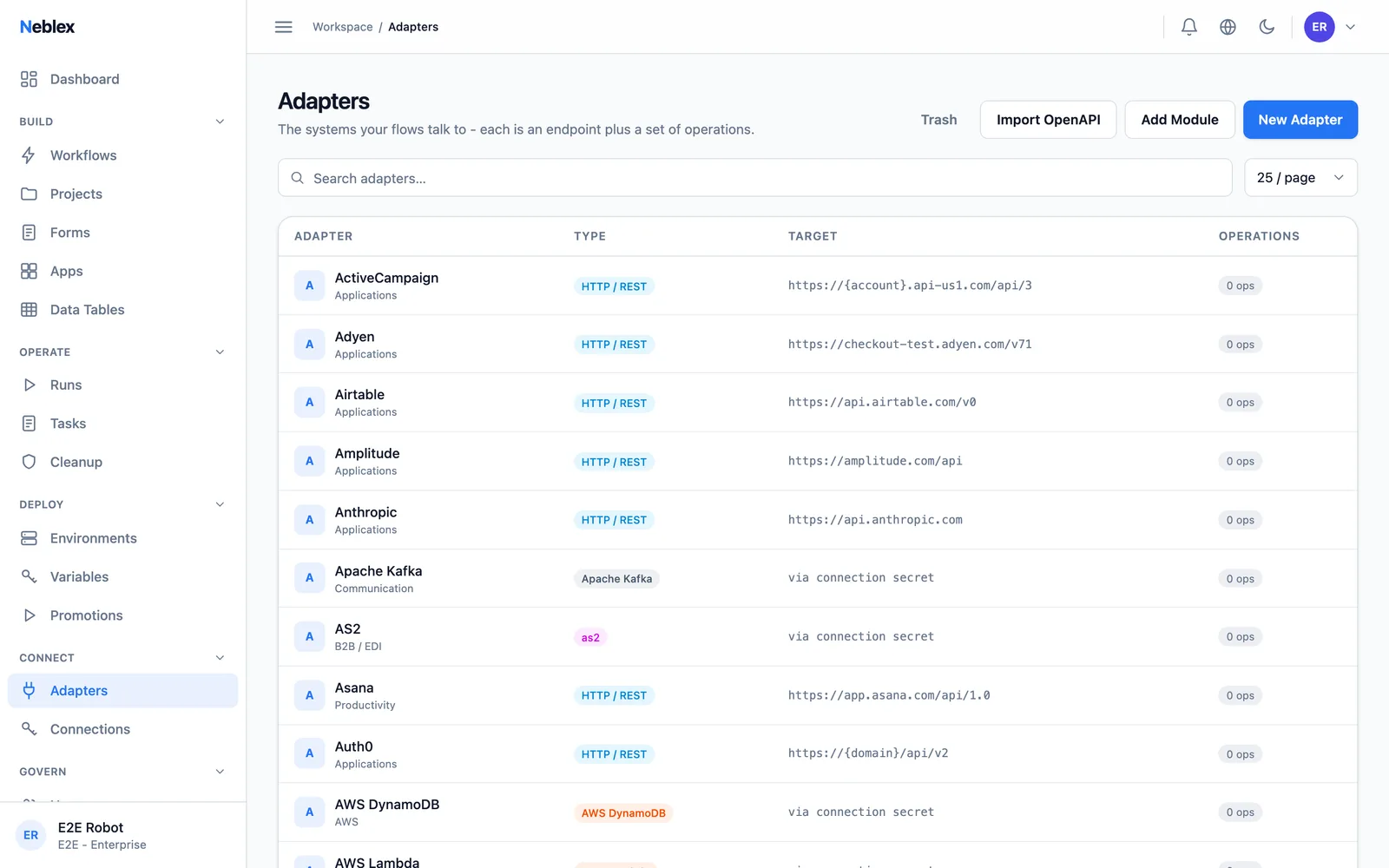
Connectors & Connections
A connector is how to talk to a system; a connection is your credentials. Import any API in minutes and keep secrets sealed.
- 01
Any OpenAPI, Instantly
Import an OpenAPI/Swagger spec and get a typed connector with every operation - in about two minutes.
- 02
OAuth & One-Click Services
Authorize popular services without ever storing a key, and verify any connection with a read-only live test call.
- 03
Custom Sandboxed Connectors
Bring hand-built connectors that run fully sandboxed - no host access, bounded compute - and share them as signed exports.
- 04
GraphQL Auto-Compiler
Point at a GraphQL endpoint and introspection builds the connector for you.
- 05
Sealed Credentials
Encrypted at rest, decrypted only at the moment a step uses them, guarded by an egress allow-list.
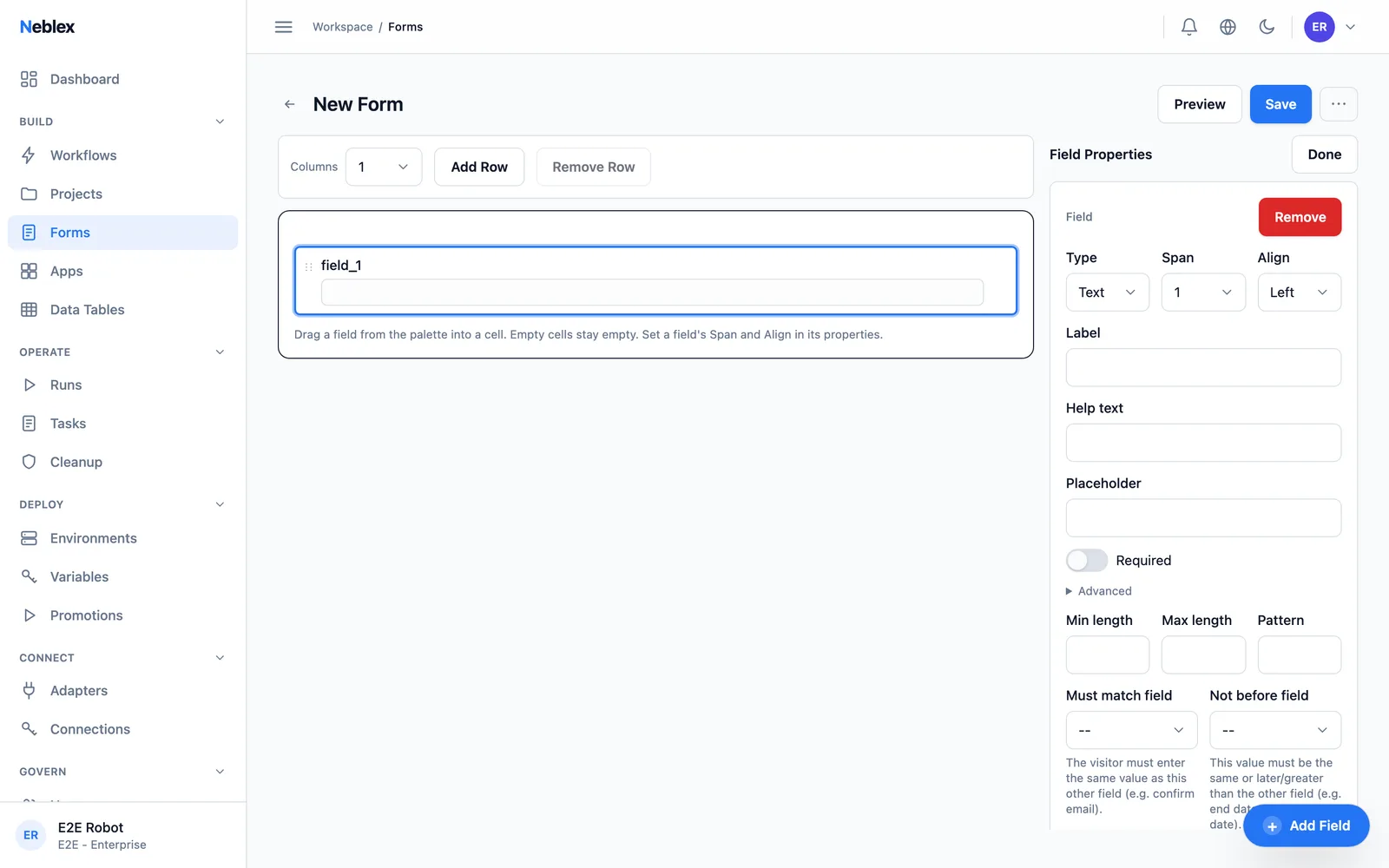
Forms
Hosted forms that start flows or pause them for human input - branded, validated, and translated.
- 01
Drag-and-Drop Builder
Text, dropdowns, dates, checkboxes, file uploads, signatures, ratings, and layout blocks - arranged visually.
- 02
Server-Enforced Validation
Required fields, patterns, cross-field rules, and conditional visibility are enforced on the server, not just in the browser.
- 03
Branding & Translations
Your logo, colors, and light/dark theme, with per-language translations for every label and message.
- 04
Decision Buttons
Approve/reject buttons record an outcome your flow branches on - the building block for approval processes.
- 05
Hosted & Shareable
Publish to a hosted link, pre-fill fields, and build multi-page journeys.
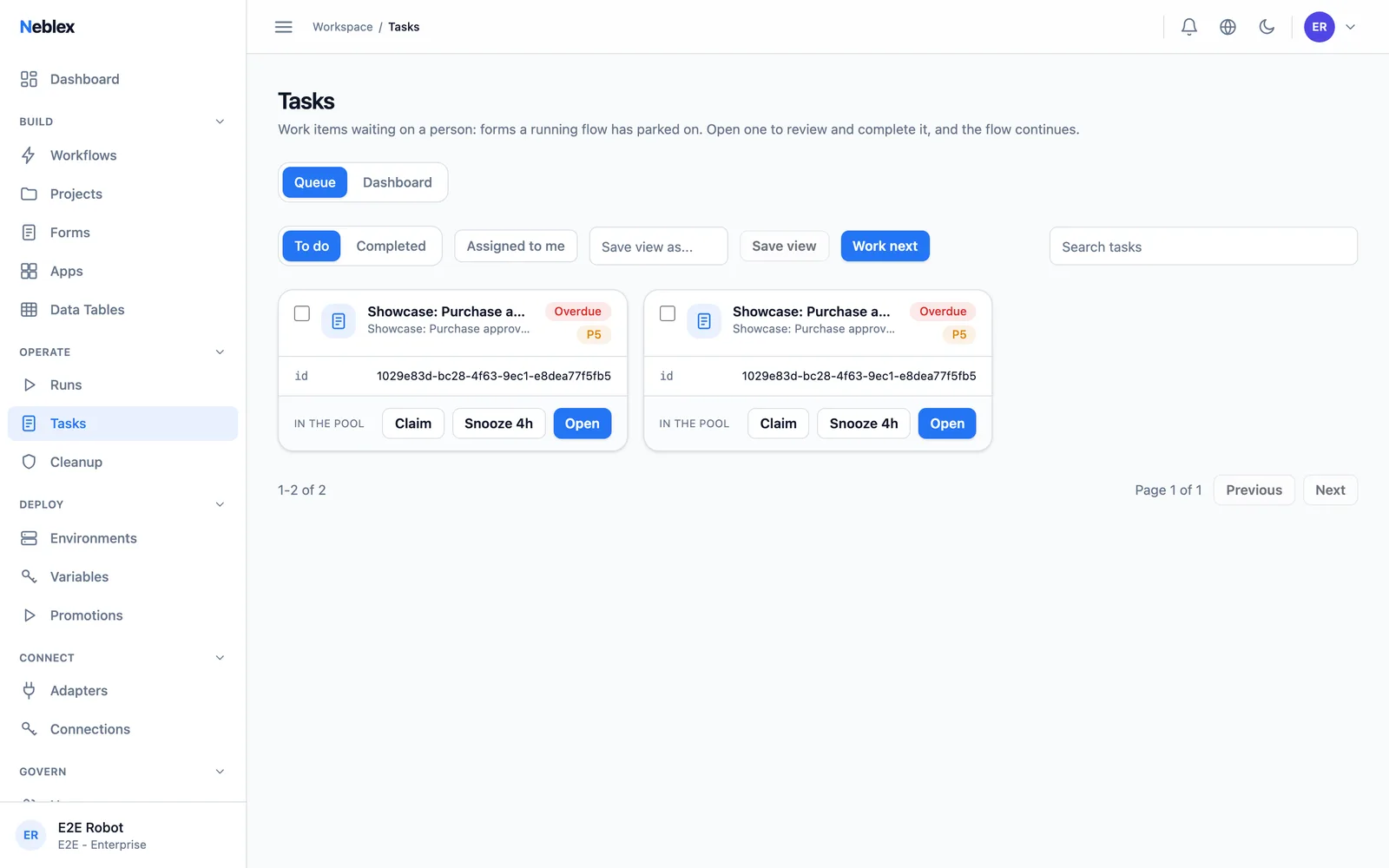
Human Tasks & Approvals
Every paused form is a task with an owner, a deadline, and an audit trail. People act from email or from a shared inbox.
- 01
No-Account Approvers
Emailed private links let externals decide without signing in - and the links renew themselves, so nobody is left stranded.
- 02
SLAs & Business Hours
Priorities, business-hours-aware deadlines, snooze, auto-escalation, and timeout outcomes your flow can branch on.
- 03
Smart Routing
Route to a pool or a person: round-robin, least-busy, or claim-based with work-next, reassign, and release.
- 04
Four-Eyes Separation
Separation of duties is enforced by the platform: the requester can never approve their own request.
- 05
Bulk Operations
Approve, reject, claim, reassign, or mass-edit across a filtered set - with every action audit-trailed.
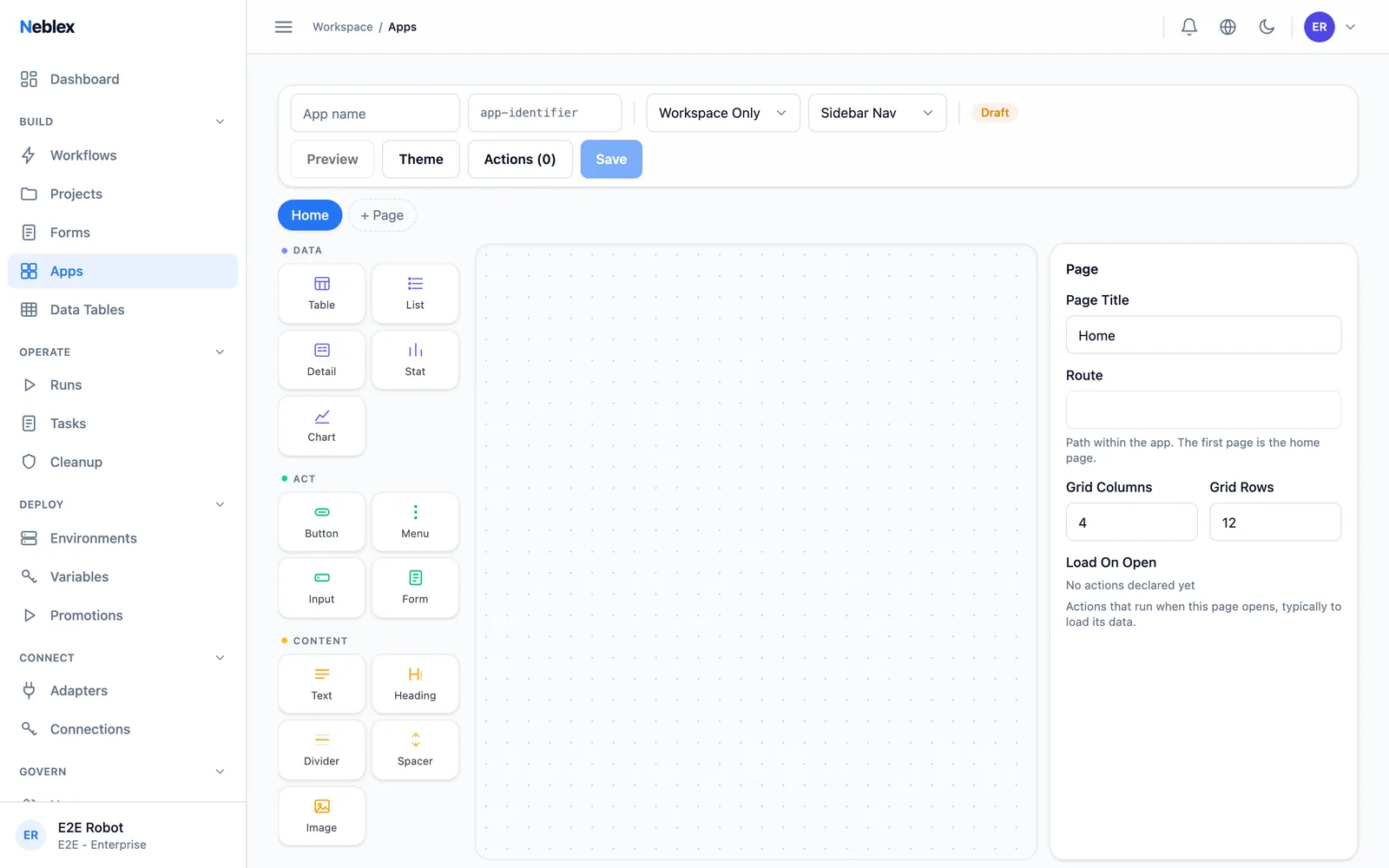
Apps: Interfaces on Flows
Turn flows into working software - dashboards, portals, and consoles where actions are flows and every click is a real, audited run.
- 01
Pages & Components
Tables, charts, stats, lists, detail views, buttons, inputs, embedded forms, cards, tabs, and dialogs.
- 02
Actions Are Flows
The only data path is a declared flow. No separate scripting layer to secure, and you debug an app exactly like a flow - because it is one.
- 03
Bindings & Events
Bind component properties to action outputs, row selections, inputs, and page state; wire clicks to dialogs, navigation, and runs.
- 04
Three Access Tiers
Workspace-only, secret-link, or public - each rate-limited and audited.
AI Assistance
AI that stays grounded in your workspace: it never invents adapters or calls, and your record values never leave the platform.
- 01
Build From a Description
Describe the automation and get a draft flow assembled from your real connectors and connections - a checkable starting point, not a black box.
- 02
Auto-Map Fields
Type-aware field mapping between systems, suggested in one click.
- 03
Agent Step
An autonomous LLM step with tool-calling - OpenAI, Anthropic, Mistral, Groq, Azure, or any OpenAI-compatible endpoint, with per-input step limits.
- 04
Your Model, Your Budget
Bring your own model endpoint and cap monthly token spend. With an offline endpoint, prompts never leave your network.
- 05
Matt, Everywhere
Chat with Matt from anywhere, ask about any step, and let Fix With Matt diagnose a failed run.
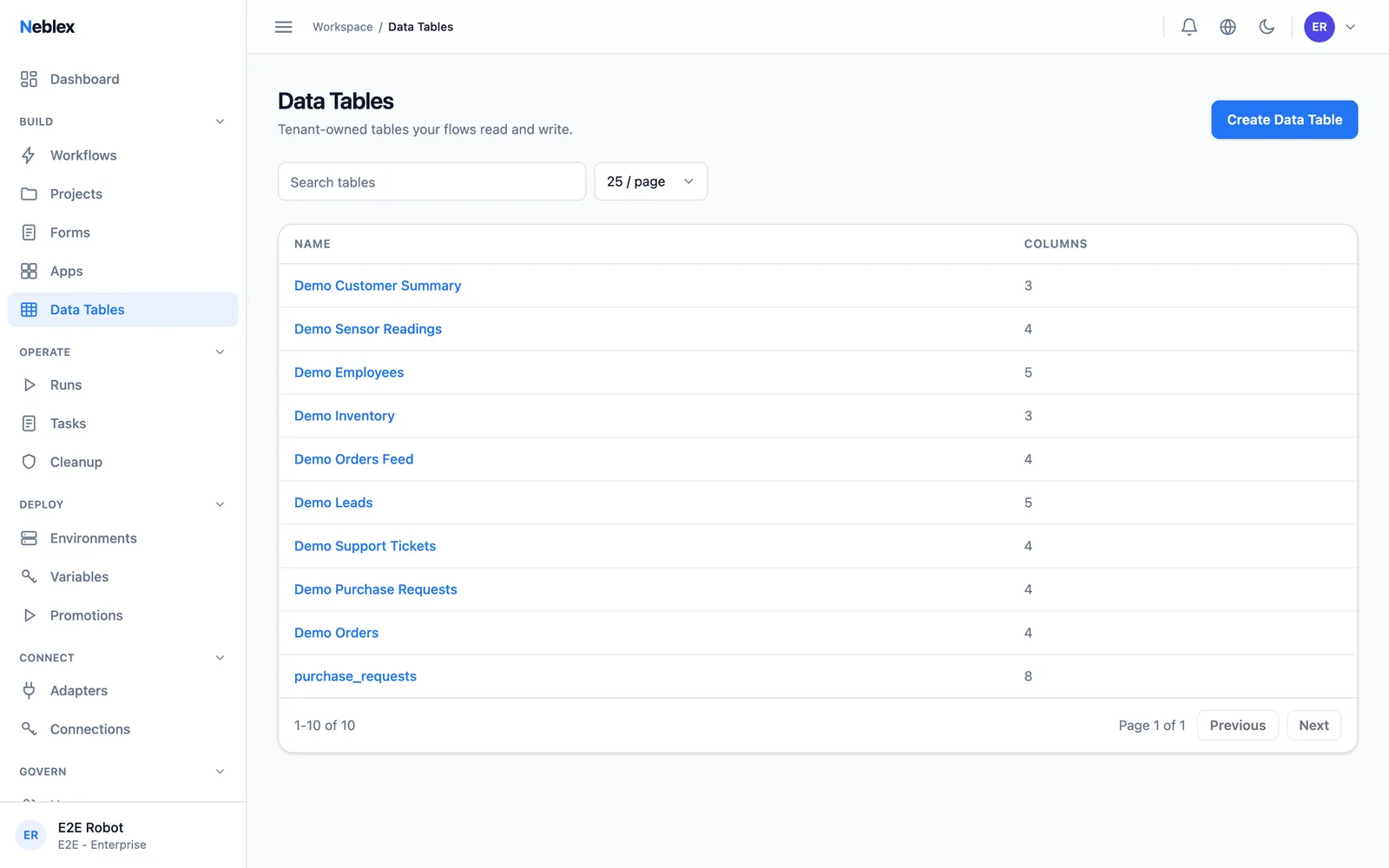
Data Tables
Built-in databases for the state every integration needs: mappings, dedup keys, reference data.
- 01
Typed & Indexed
Text, number, integer, boolean, date, and datetime columns with unique constraints and indexes.
- 02
CSV Import
Create a table from scratch or from a CSV, then edit inline.
- 03
Native Flow Steps
Insert, upsert, get, update, and delete from any flow, with automatic created/updated timestamps.
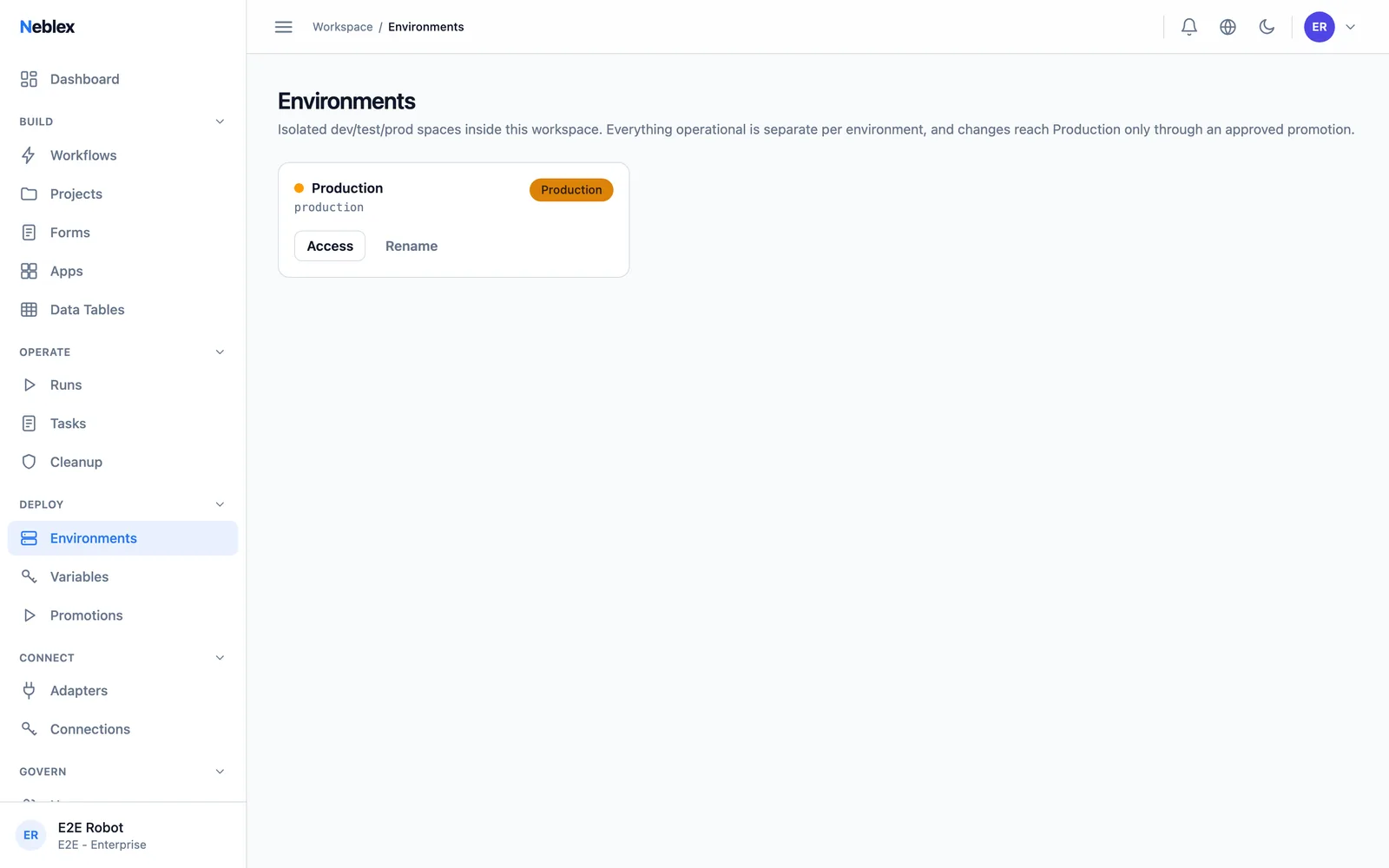
Environments & Promotion
Isolated dev, staging, and prod per workspace - promote flows between them with review, not copy-paste.
- 01
True Isolation
Connections, secrets, and variables are scoped per environment - dev credentials can never touch prod data.
- 02
Protected Environments
Promotions into protected environments require approval from a different person - separation of duties, enforced.
- 03
Environment Variables
Reference values per environment, with secrets sealed to their name and a diff review on every promotion.
- 04
Connection Rebinding
Promoted flows rebind to the target environment's connections by name - no manual rewiring.
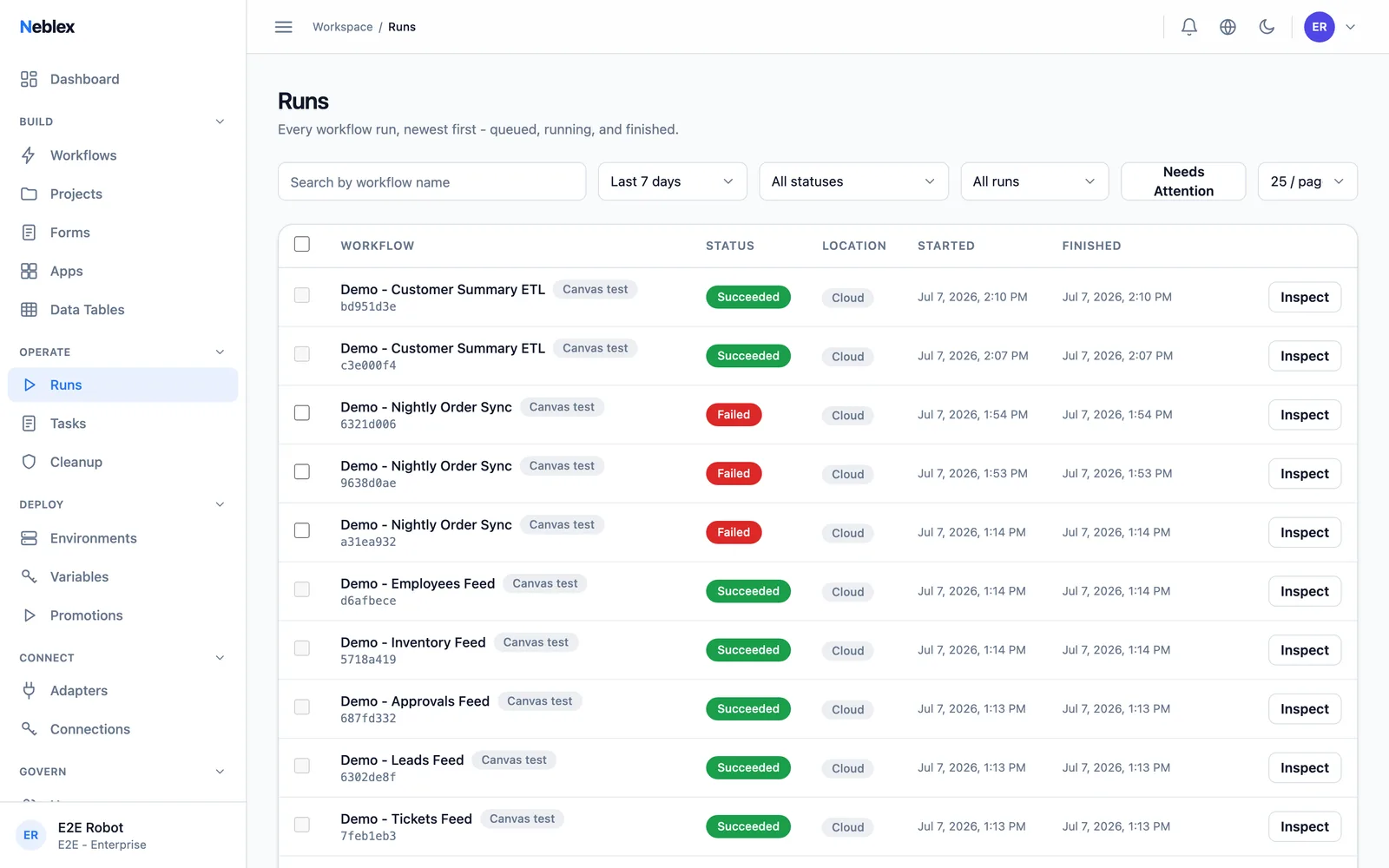
History, Replay & Versions
Every run is an ordered event log, so debugging is inspection, not archaeology.
- 01
Retry From the Failed Step
Resume the same run from where it broke - completed steps keep their outputs, and the retry is not billed again.
- 02
Deterministic Replay
Replays re-use recorded outcomes and never re-fire external actions. Waits skip. It finishes instantly.
- 03
Compare Two Runs
Diff any two runs step by step and see the blast radius of what changed.
- 04
Version Pinning & Restore
Runs pin to the flow version that started them; restore any previous version with a diff.
- 05
Flow Health
Success rate, durations, volume, and top failure reasons over 7, 30, or 90 days - per flow.
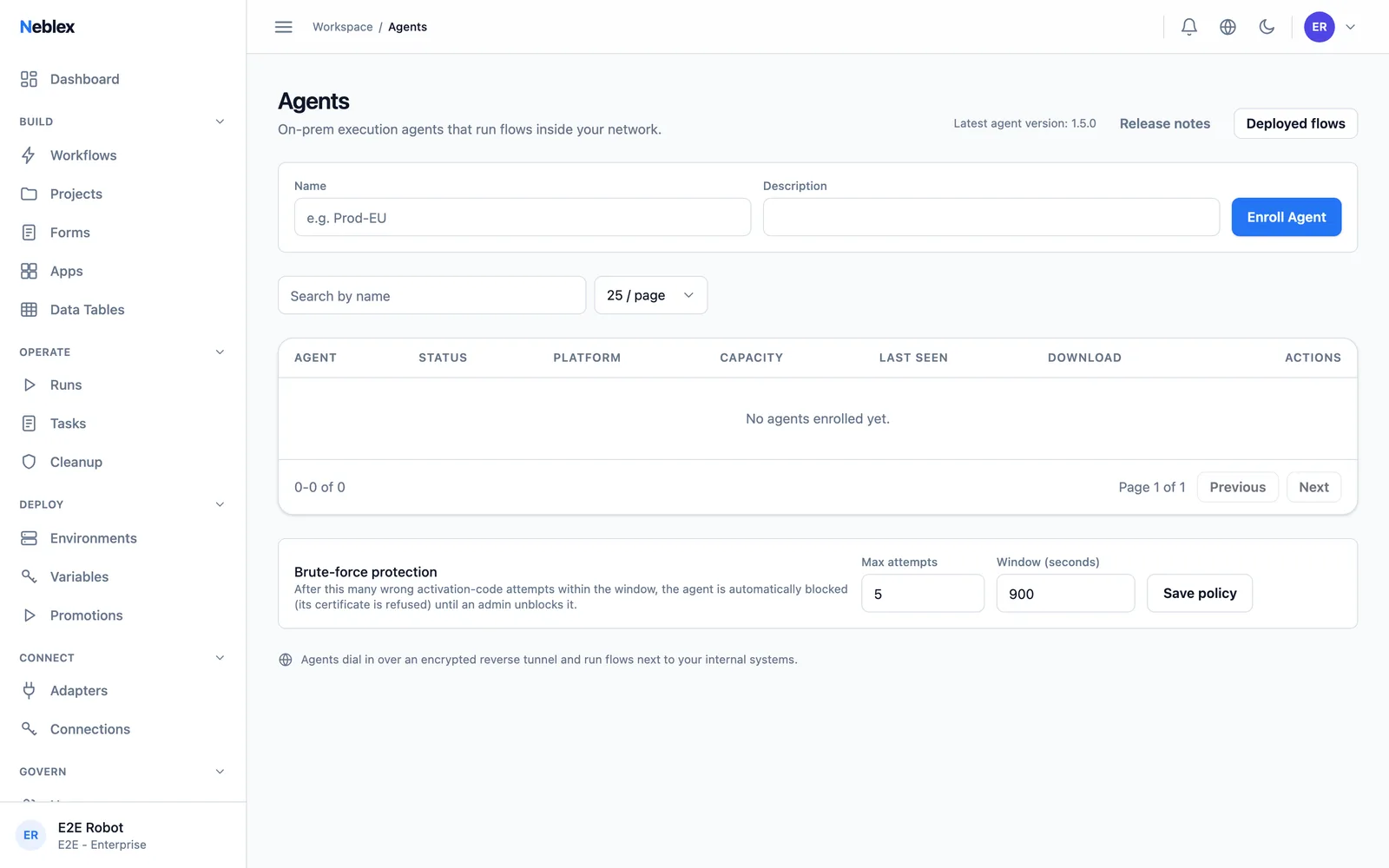
On-Prem Workers
Integration Fabric is fully managed SaaS. When flows need systems behind your firewall, On-Prem Workers run those steps inside your network.
- 01
One Binary, Three Platforms
A single program for macOS, Linux, and Windows, activated with a one-time code - useless to anyone without it.
- 02
Outbound Only
On-Prem Workers dial out over an encrypted tunnel. Nothing connects in, no inbound ports, ever.
- 03
Machine-Locked Identity
Each On-Prem Worker is cryptographically locked to the machine it was first activated on and remotely blockable.
- 04
Worker-Local Connections
Keep credentials that never leave your network - the platform runs the step without ever seeing the secret.
Security & Governance
Enterprise controls as the default, not an upsell: identity, encryption, and an audit trail you can verify.
- 01
SSO & SCIM
SAML 2.0 and OpenID Connect single sign-on with SCIM auto-provisioning from Okta or Entra.
- 02
MFA, Passkeys & Devices
Authenticator 2FA, WebAuthn passkeys, and new-device approval.
- 03
BYOK Encryption
Bring your own HashiCorp Vault transit key. You hold the kill switch; rotate or disable at will.
- 04
Tamper-Evident Audit Log
Append-only and hash-chained - altering any past entry breaks every subsequent hash, and you can verify the chain yourself.
- 05
Seven Workspace Roles
From Superuser to Auditor, with a capability matrix and a sole user-security authority - an admin can never silently take over an account.
- 06
Your SMTP, Your Alerts
Point alerts at your own mail server and choose exactly which events email whom.
Managed API, Webhooks & MCP
Flows become production APIs and AI-callable tools - governed, documented, and metered.
- 01
Flows as APIs
Call any flow synchronously or asynchronously through the gateway, with OpenAPI 3.0 schemas generated for you.
- 02
Default-Deny Consumer Keys
Per-key grants to specific flows and projects, with per-key rate limits and monthly quotas.
- 03
GraphQL Exposure
The same flows, auto-exposed over GraphQL for consumers that prefer it.
- 04
Six Webhook Auth Modes
Public, API key, Basic, header, JWT, or HMAC-SHA256 - pick per endpoint.
- 05
MCP for AI Assistants
Expose flows as MCP tools for Claude or any MCP client. An AI action is governed exactly like a human one - and fully auditable afterward.
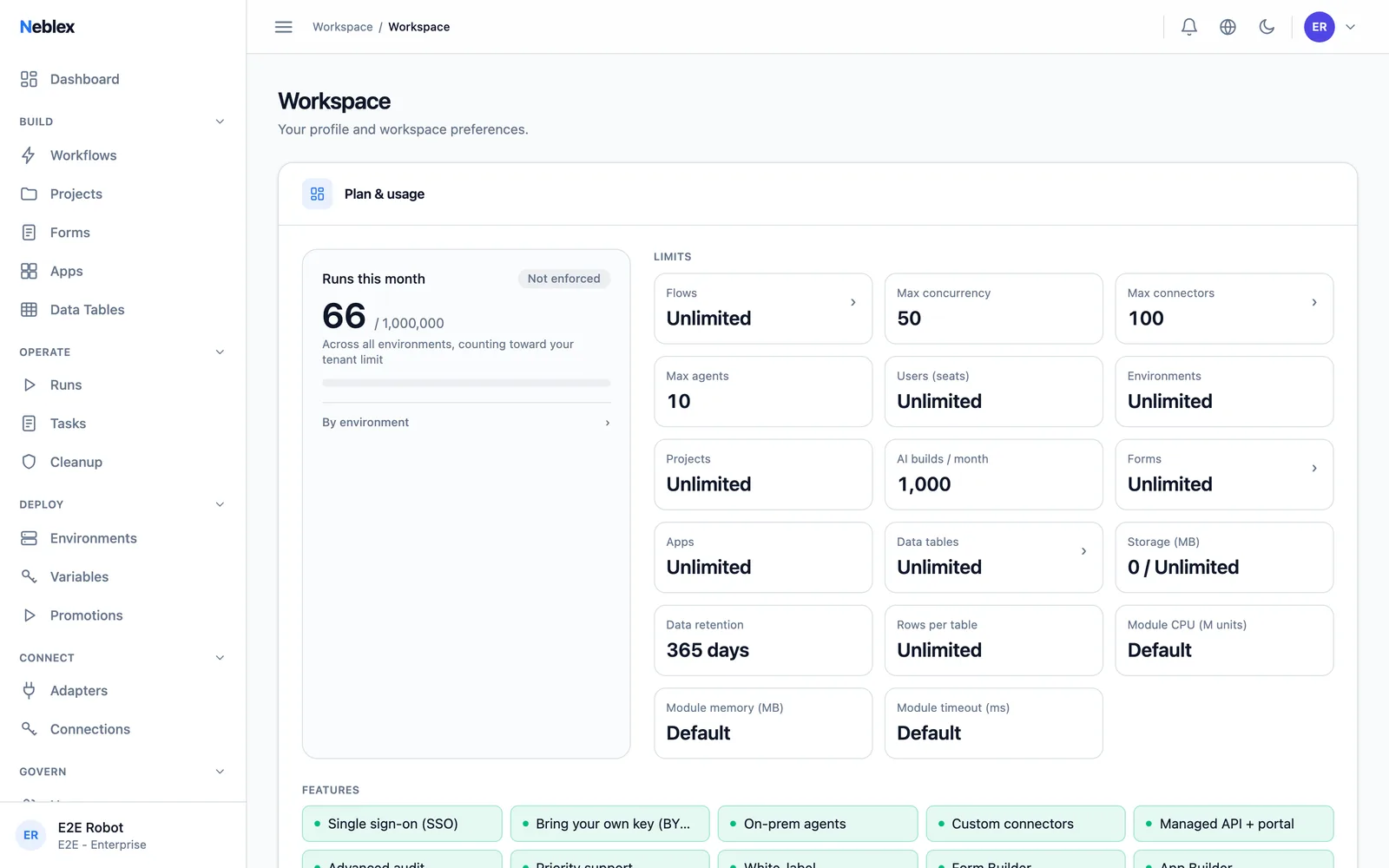
Usage & Transparent Metering
You can always see exactly what you are using and what counts - because the pricing model has nothing to hide.
- 01
Runs, Not Tasks
One flow execution is one run, no matter how many steps or records it touches. No per-action-in-a-loop metering.
- 02
Failed Runs Never Bill
If a run fails, it does not count. Retrying from a failed step does not count again either.
- 03
Live Usage Dashboard
Month-to-date runs against your plan, per environment, in real time - no billing surprises.